---
updatedAt: 2025-03-08T01:38:13.000Z
agentTools:
projectIndex: https://mealmeapi.readme.io/llms.txt
---
# Store Search SDK Popup
## Getting your SDK Key
***
* To get an API key, book a meeting with us and sign the license agreement. Book a meeting [by visiting here](https://calendly.com/d/d4g-dv6-tfz/meet-with-a-mealme-integrations-specialist).
# Store search
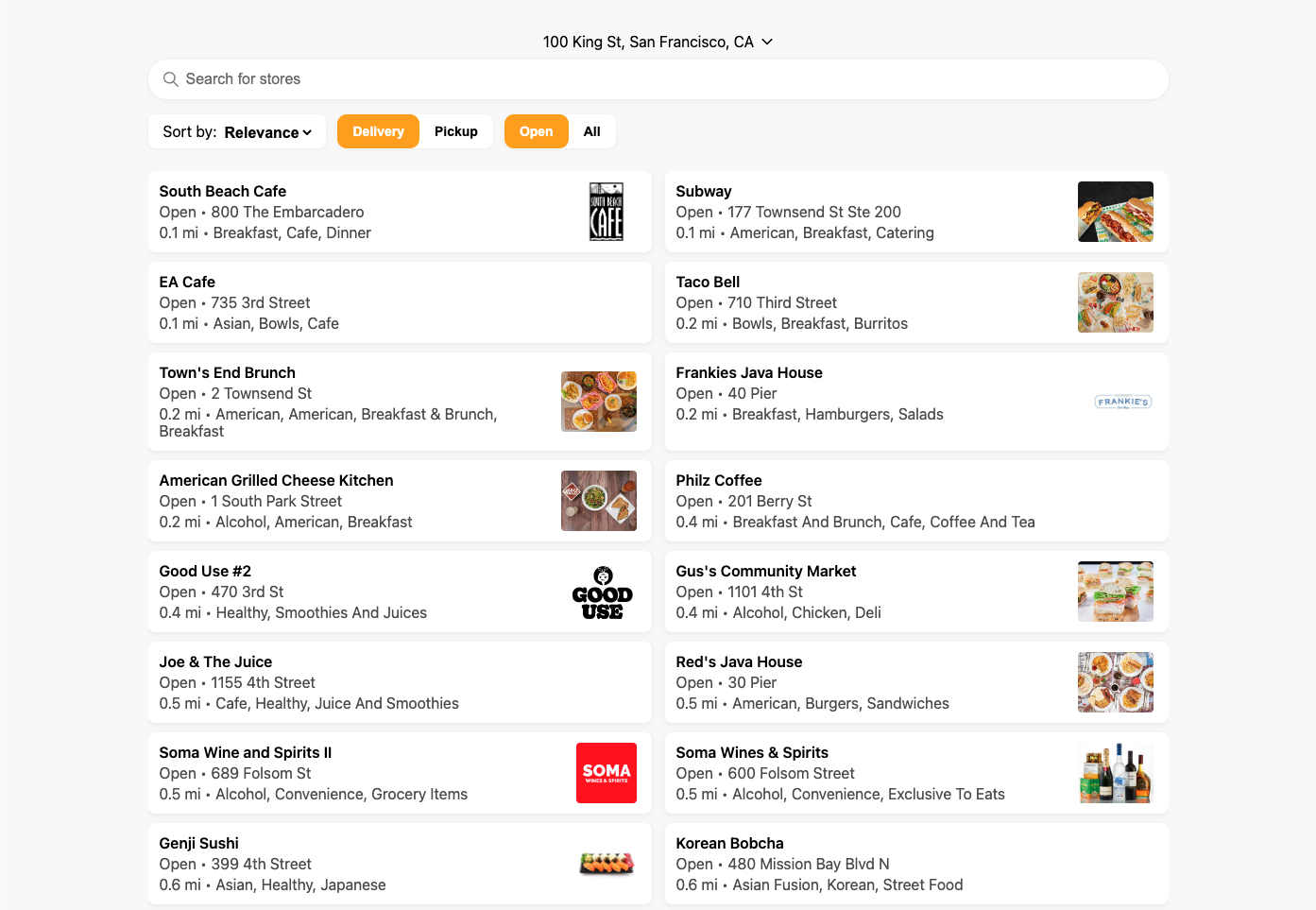
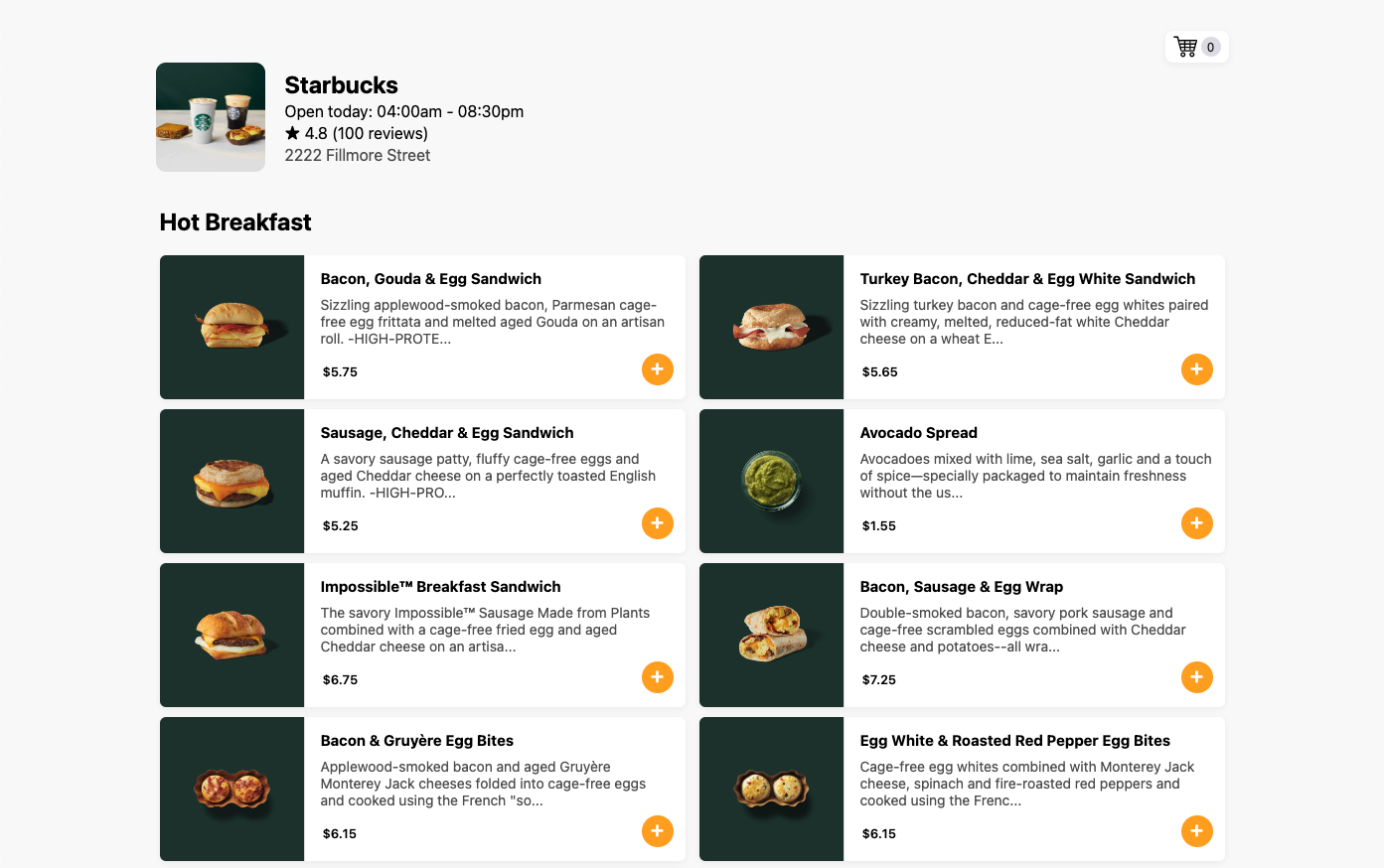
Store search can be used to find stores near the user. We also provide multiple options to customize store search to fit your specific use case.
### Example image
## Implementation steps
### 1. importing the script
```html
```
### 2. Show popup modal
For example:
```javascript
mealme.showStoreModal('YOUR_NAME', {});
```
### Optional: passing location
If you want to show results for a specific location, you can pass address information so the user does not have to enter their address. Example usage:
```javascript
mealme.showStoreModal('YOUR_NAME', {
address: {
street_num: '10',
street_name: 'Example street',
city: 'San francisco',
state: 'CA',
country: 'US',
zipcode: '94000',
},
latitude: 37.7,
longitude: 122.4,
});
```
## Additional optional customizations
The following optional query parameters are available to adjust the functionality of the SDK:
* `searchQuery` - a default query for the search, pass for example `searchQuery=subway` for the initial search to be for subway
* `storeType`- Pass either `restaurant` or `grocery`, don't include to have results with both
* `userId`- Use your own identifier for userId if you want an order to be related to a certain user or group
* `hideSearchbar`passing true will hide the search field
* `isPickup` - default value of the pickup toggle, true means it's a pickup order, false means it's a delivery order
* `hidePickupToggle` - passing true will hide the pickup toggle
* `isOpen` - default value of the open toggle, true means searching for only open stores, false means to search for all stores
* `searchRadius`- Normally we gradually increase the radius until we find enough stores, pass if you want to override this and just do one specific search radius, is capped at 10 miles
* `hideOpenToggle` - passing true will hide the open toggle
* `title`- optional title that displays at the top of the page
* `error`- If passed, an error snackbar will appear with this error when the page loads
* `storeIds`- Comma separated store\_id's, this will show only these stores in the interface and hide other options, a maximum of is 50 allowed.
* `desiredTime`- If scheduled ordering is available, we will select the timeslot closest to this timestamp. Pass as unix time, for example: `1670000000`
* `primaryColor` - Changes the color theme of the SDK from the default orange color. Pass as hex without the #, for example `&primaryColor=777777`
* `disableCheckoutRedirect`- Passing true prevents the tracking site from being opened in a new browser tab after checkout is completed
Example using customizations:
```javascript
mealme.showStoreModal('YOUR_NAME', {
title: 'Stores near you',
hideOpenToggle: true,
hidePickupToggle: true,
});
```
### Closing the modal popup
If you want to programmatically close the modal for another reason you can use:
```javascript
window.mealme.closeModal()
```
## Capturing events
We fire events that you can catch if you want to read the data.
The events fired from the store-search checkout flow are the following:
* Store select
* Checkout success
* Checkout failure
If you want to capture events while having the SDK in an App, please follow [these instructions](https://docs.mealme.ai/docs/capturing-events-mobile), instead of the web examples given below.
### When user selects a store
Code for listening to store click event:
```html
```
Example content of event.data:
```json
id: "mealme-store-select"
address: {street_addr: '301 Example Street', city: 'San Francisco', state: 'CA', zipcode: '94121', country: 'US'}
aggregated_rating_count: 500
cuisines: (15) ['By The Slice Pizza', 'Chicken', 'Dinner', 'Healthy', 'Healthy Pizza', 'Lunch', 'Pasta', 'Pickup', 'Pizza', 'Salads', 'Sandwiches', 'Seafood Pizza', 'Subs', 'Takeout', 'Veggie Pizza']
delivery_enabled: true
description: "Sandwiches, Takeout, Pickup, Pizza"
dollar_signs: 3
food_photos: ['https://cdn-img.mealme.ai/example']
is_open: true
local_hours: {
delivery: {Monday: '08:00AM - 09:00PM', Tuesday: '08:00AM - 09:00PM', Wednesday: '08:00AM - 09:00PM', Thursday: '08:00AM - 09:00PM', Friday: '08:00AM - 09:00PM', Saturday: "12:00AM - 08:30AM, 11:00AM - 12:00AM", Sunday: "11:00AM - 09:30PM"}
dine_in: {Monday: '08:00AM - 09:00PM', Tuesday: '08:00AM - 09:00PM', Wednesday: '08:00AM - 09:00PM', Thursday: '08:00AM - 09:00PM', Friday: '08:00AM - 09:00PM', Saturday: "12:00AM - 08:30AM, 11:00AM - 12:00AM", Sunday: "11:00AM - 09:30PM"}
operational: {Monday: '08:00AM - 09:00PM', Tuesday: '08:00AM - 09:00PM', Wednesday: '08:00AM - 09:00PM', Thursday: '08:00AM - 09:00PM', Friday: '08:00AM - 09:00PM', Saturday: "12:00AM - 08:30AM, 11:00AM - 12:00AM", Sunday: "11:00AM - 09:30PM"}
pickup: {Monday: '08:00AM - 09:00PM', Tuesday: '08:00AM - 09:00PM', Wednesday: '08:00AM - 09:00PM', Thursday: '08:00AM - 09:00PM', Friday: '08:00AM - 09:00PM', Saturday: "12:00AM - 08:30AM, 11:00AM - 12:00AM", Sunday: "11:00AM - 09:30PM"}
}
logo_photos: ['https://cdn-img.mealme.ai/example']
miles: 0.2
name: "Example name"
offers_first_party_delivery: false
offers_third_party_delivery: true
phone_number: 12345678901
pickup_enabled: true
quote_ids: ['example']
store_photos: ['https://cdn-img.mealme.ai/example']
type: "restaurant"
weighted_rating_value: 5
_id: "1234567-1234-1234-1234-aaa1234567"
```
### Checkout success event
Code to capture success event
```javascript
window.onmessage = (event) => {
if (event.data.id === "mealme-checkout-success") {
// Your code using event.data
}
};
```
Example data for success event:
```javascript
{
success: true,
orderId: "123",
items: [
{
product_id: "gAAA",
item_name: "NESCAFÉ Dark Roast Instant Coffee",
image: "https://cdn-img.mealme.ai/...",
description: "",
category: "Coffee",
price: 1299,
formatted_price: "$12.99",
upc_codes: [],
unit_size: 10.5,
unit_of_measurement: "oz",
should_fetch_customizations: true,
},
{
product_id: "gAAAA",
item_name: "Lactaid Whole Milk",
image: "https://cdn-img.mealme.ai/...",
description: "",
category: "Milk",
price: 579,
formatted_price: "$5.79",
upc_codes: [],
unit_size: 0.5,
unit_of_measurement: "gal",
should_fetch_customizations: true,
},
],
trackingLink: "https://tracking.mealme.ai/tracking?tracking_id=123",
};
```
### Checkout fail event
Code to capture fail event
```javascript
window.onmessage = (event) => {
if (event.data.id === "mealme-checkout-fail") {
// Your code using event.data
}
};
```
Example data for success event:
```javascript
{
success: false,
message: "Something went wrong",
}
```