---
updatedAt: 2025-03-08T01:42:38.000Z
agentTools:
projectIndex: https://mealmeapi.readme.io/llms.txt
---
# Cart Search SDK Popup
\## Getting your SDK Key
***
* To get an API key, book a meeting with us and sign the license agreement. Book a meeting [by visiting here](https://calendly.com/d/d4g-dv6-tfz/meet-with-a-mealme-integrations-specialist).
# Cart search
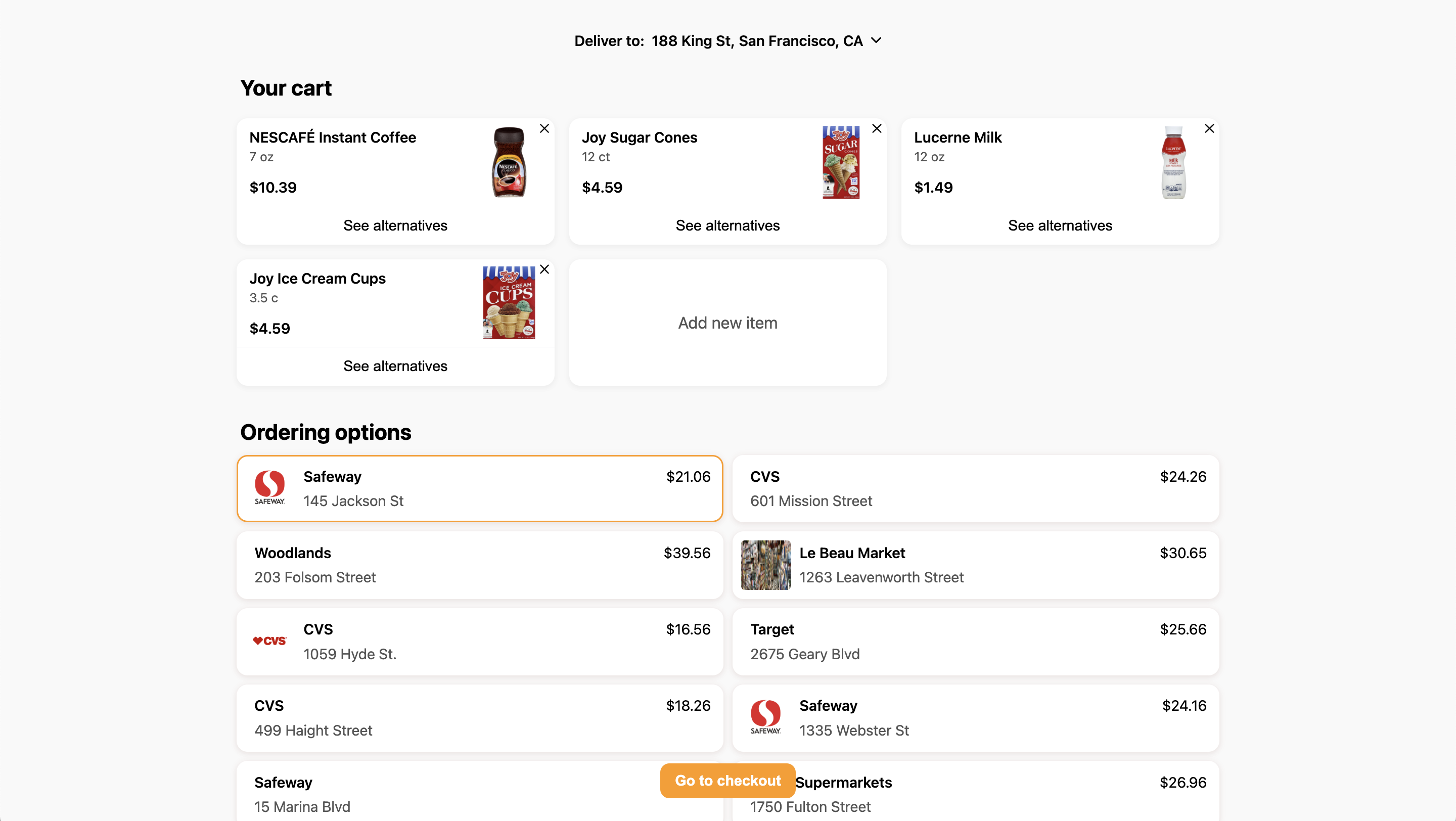
### Example images
Cart search:
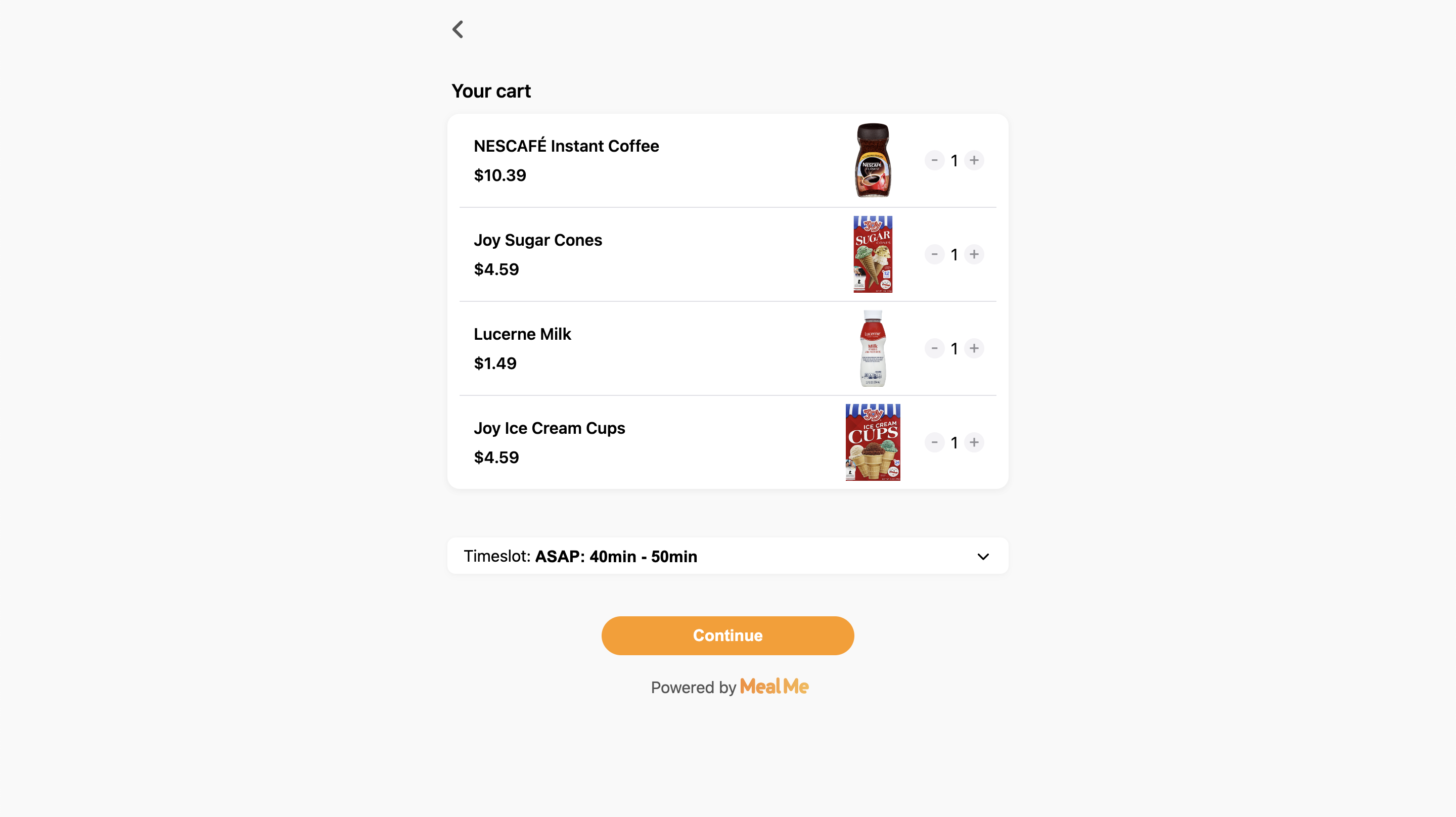
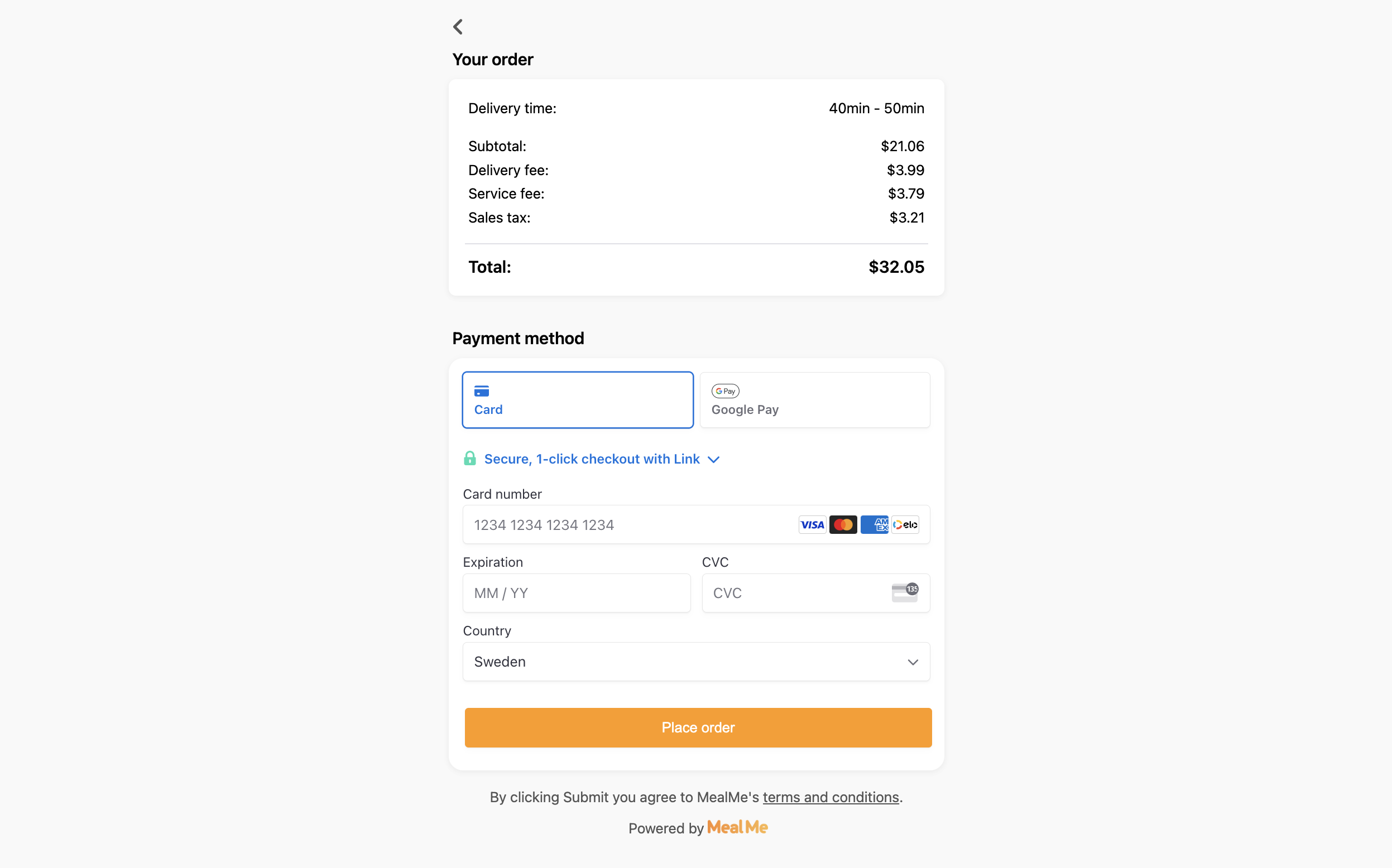
Example checkout:
## Implementation steps
### 1. importing the script
```html
```
### 2. Show popup modal
At a minimum, you need to pass the following information parameters:
your name and the query, in the following way. This is an example if searching for milk, eggs, and chips.
```javascript
mealme.showCartSearchModal("YOUR_NAME", {query: { milk: 1, eggs: 1, chips: 1 }});
```
> **⚠️ Note:** YOUR\_NAME will be the name of your company, for sandbox orders use YOUR\_NAME-sandbox
### Additional optional customizations
* `isPickup` - default value of the pickup toggle, true means it's a pickup order, false means it will be a delivery order
* `isOpen` - default value of the open toggle, true means searching for only open stores, false means to search for all stores
* `hidePickupToggle` - passing true will hide the pickup toggle
* `hideOpenToggle` - passing true will hide the open toggle
* `title` - If passed, it will show a title above the cart search user interface
* `logoUrl`- If passed, a logo will be added, in the top left by default
* `logoHeight`- If passed it will change the width of the logo, the default value is 30
* `logoAlignment`- Can be used to change the alignment of the logo, accepted values are left, center, and right
* `searchRadius`- Normally we gradually increase the radius until we find enough stores, pass if you want to override this and just do one specific search radius, is capped at 10 miles
* `sort`- Can be cheapest, fastest, rating, distance, or relevance. The default value if nothing is passed is relevance
* `fullCartsOnly` - only show full carts, it's defaulted to false
* `userId`- Use your own identifier for userId if you want an order to be related to a certain user or group
* `userEmail`- Will prefill the email field in checkout if passed
* `userName`- Will prefill the name field in checkout if passed
* `storeType`- Pass `restaurant` for restaurant items, pass `grocery` for grocery items, or leave empty or exclude to search for both
* `pinCheckoutButton`- If passing `true`this will pin the checkout button to the bottom element instead of having a floating button\
\
Example use of options:
```javascript
mealme?.showCartSearchModal("YOUR_NAME", {
query: { milk: 1, eggs: 1, chips: 1 },
hidePickupToggle: true,
hideOpenToggle: true,
title: "Ingredients for cake recipe",
});
```
### Passing your own address -
If you want to pass the location instead of the user choosing it, you can pass the following variables as options:
* streetNumber
* streetName
* city
* zipcode
* state - Use state acronyms, `NY` for new york,
* country - Short form, use either `US` or `CA` for USA and Canada respectively
* latitude
* longitude
### Closing the modal popup
If you want to programmatically close the modal for another reason you can use:
```javascript
window.mealme.closeModal()
```
## Capturing events
We fire events that you can catch if you want to read the data.
The events fired from the cart-search checkout flow are the following:
* Checkout success
* Checkout failure
If you want to capture events while having the SDK in an App, please follow [these instructions](https://docs.mealme.ai/docs/capturing-events-mobile).
### Success event
Code to capture success event
```javascript
window.onmessage = (event) => {
if (event.data.id === "mealme-checkout-success") {
// Your code using event.data
}
};
```
Example data for success event:
```javascript
{
success: true,
orderId: "123",
items: [
{
product_id: "gAAA",
item_name: "NESCAFÉ Dark Roast Instant Coffee",
image: "https://cdn-img.mealme.ai/...",
description: "",
category: "Coffee",
price: 1299,
formatted_price: "$12.99",
upc_codes: [],
unit_size: 10.5,
unit_of_measurement: "oz",
should_fetch_customizations: true,
},
{
product_id: "gAAAA",
item_name: "Lactaid Whole Milk",
image: "https://cdn-img.mealme.ai/...",
description: "",
category: "Milk",
price: 579,
formatted_price: "$5.79",
upc_codes: [],
unit_size: 0.5,
unit_of_measurement: "gal",
should_fetch_customizations: true,
},
],
trackingLink: "https://tracking.mealme.ai/tracking?tracking_id=123",
};
```
## Fail event
Code to capture fail event
```javascript
window.onmessage = (event) => {
if (event.data.id === "mealme-checkout-fail") {
// Your code using event.data
}
};
```
Example data for success event:
```javascript
{
success: false,
message: "Something went wrong",
}
```