---
updatedAt: 2025-03-08T01:33:43.000Z
agentTools:
projectIndex: https://mealmeapi.readme.io/llms.txt
---
# Address Search SDK Modal Popup
How to use address search modal
## Getting your SDK Key
***
* To get an API key, book a meeting with us and sign the license agreement. Book a meeting [by visiting here](https://calendly.com/d/d4g-dv6-tfz/meet-with-a-mealme-integrations-specialist).
## Build-in features
* Use Current Location: Getting longitude/latitude from the browser and using reverse geocode to get an accurate address
* Autocomplete address suggestions as the user types
* Location-based autocomplete suggestion using IP-address to ensure suggestions are relevant
## Modal popup Implementation
### Example implementation
See "Full modal example" below for this example.
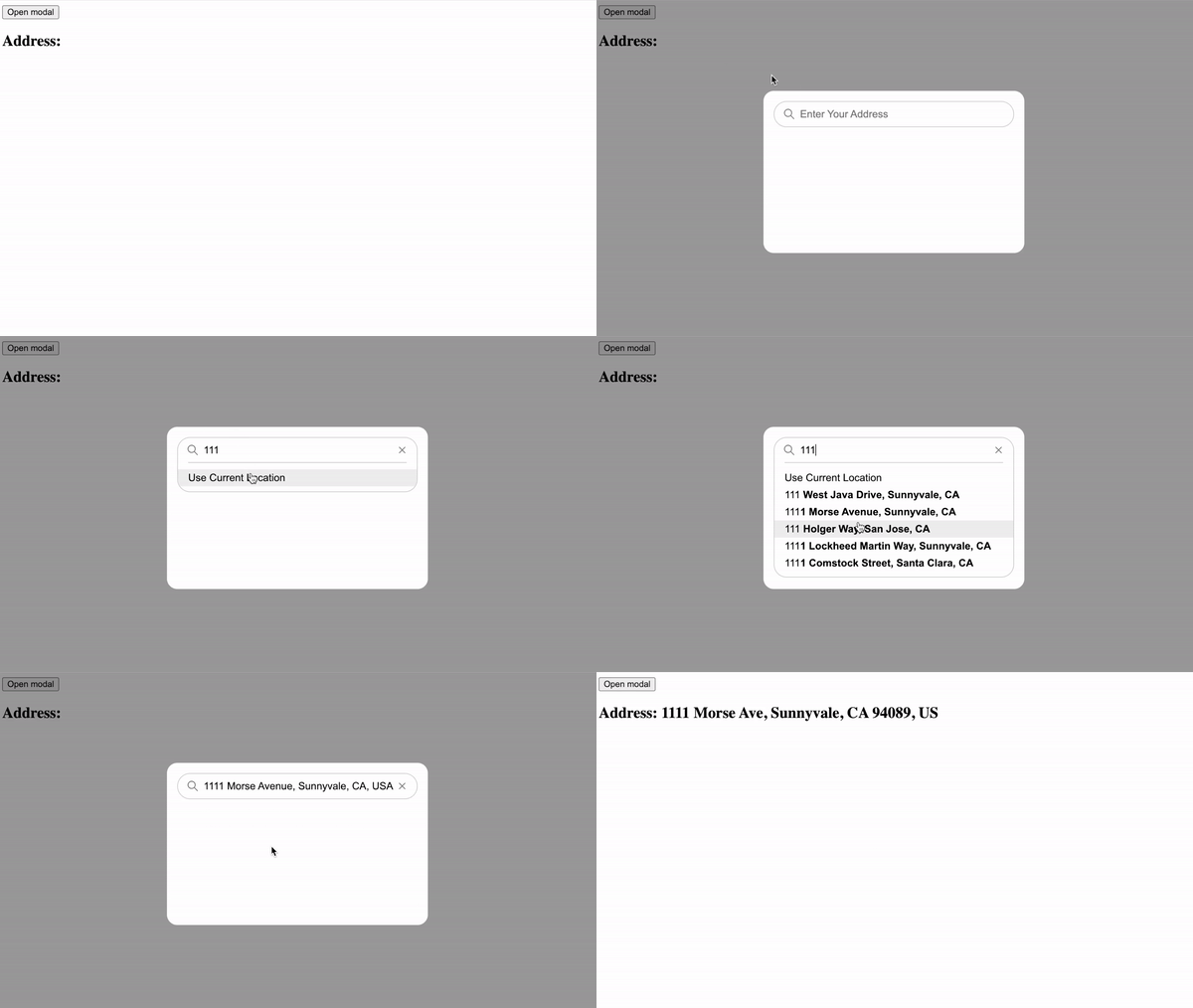
### 1. Importing script
Put the following element somewhere in the head element of your HTML.
```html
```
Style can be changed, but we recommend keeping it the way it is to get the expected behavior.
### 2. Opening modal popup
Opening the modal is done via calling a function. Replace `YOUR-API-KEY` with your key. This can be done with, for example, an onclick event on a button (See below for a full example).
```javascript
window.mealme.showAddressModal('YOUR-API-KEY', (data) => {/* your code here*/})
```
#### Example of how data from the callback event can look:
```javascript javascript
{
id: "mealme-address-chosen",
address: {
street_num: '100',
street_name: 'Centre St',
city: 'New York',
state: 'NY',
zipcode: '10013',
},
latitude: 40.71433469999999
longitude: -74.0015312
name: "100 Centre St, New York, NY 10013, US"
}
```
### Closing the modal popup
The modal will automatically close after the user has chosen an address, the same time the event is fired. If you want to programmatically close the modal for another reason you can use:
```javascript
window.mealme.closeModal()
```
### Full Modal example
If you want a complete example, here is an HTML file you can use to test the complete implementation. Copy this code and place it in a new file `example.html`and replace `YOUR-API-KEY`with your key. See below this full example for a more detailed explanation.
```html